


OctaneRender for HoudiniSolaris 2026.4.0.0

Sub forum for plugin releases
Post Reply
BK
OctaneRender Team
Posts: 1561
Joined: Mon Oct 31, 2016 7:54 pm

OTOY® is proud to announce the availability of the new DCC plugin OctaneRender for HoudiniSolaris 2026.4.0.0 release.

The world's fastest unbiased GPU rendering engine on CUDA and Metal now integrates completely with Houdini 20.0, Houdini 20.5 & Houdini 21.0 Solaris.
OctaneSolaris builds supported by this release: 20.5.684, 21.0.671, 21.0.700, 21.0.729 and 22.0.368.

What is OctaneRender for Solaris?
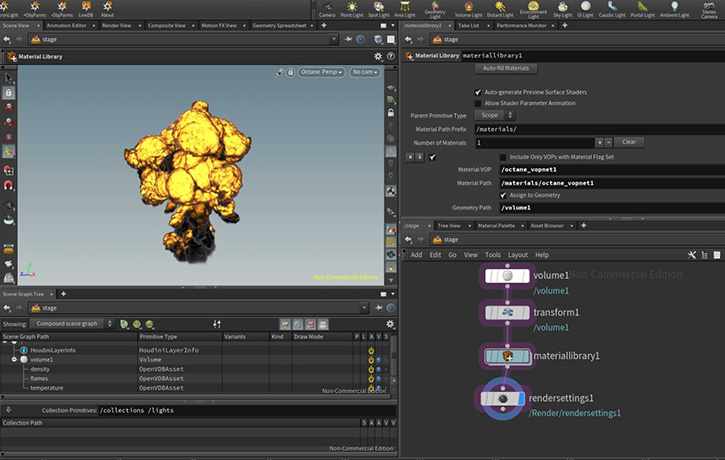
The OctaneRender for Solaris plugin is based on Pixar’s USD (Universal Scene Description) and Pixar’s Hydra API to empower artist workflows across look development, scene layout, lighting, and final rendering.
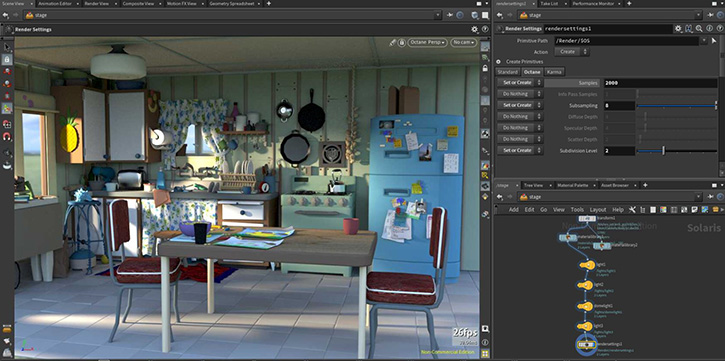
Image

Image

Pixar's USD pipeline
https://renderman.pixar.com/stories/pixars-usd-pipeline

-Installation steps-
-Recommended: Automated installation using scripts-
- On windows run the createPackageFileForOctane.bat file and follow the instructions. This should setup all the necessary paths for you.
- On macos/linux run the createPackageFileForOctane.sh file and follow the instructions. One way to do this is to open a terminal window, type sh and then drag the sh file onto the terminal and hit enter.
-Alternative: Manually setup Houdini package json file-
- Create a folder inside Documents\houdini21.0 and name it "Packages" (if it doesn't already exist)
- Open notepad or any text editor, use the code below, but replace the PATH/TO/OCTANE to the location of your octane installation.
- Note: You must use / or \\ in the path. Single \ will not work.
- Also, make sure to launch Houdini first after installing a new version of it prior to running the batch or .sh file to install Octane Houdini or Octane Solaris.

Code: Select all

Code: Select all

{
    "enable": true,
    "env": [
        {
            "OCTANE_AUTOSPAREPARAMS": {
                "value": 1
            }
        },
        {
            "OCTVERSION": "PATH/TO/OCTANE"
        },
        {
            "HOUDINI_PATH": {
                "value": "$OCTVERSION"
            },
            "HOUDINI_MENU_PATH": {
                "value": "$OCTVERSION/config/Menus"
            },
            "HOUDINI_SCRIPT_PATH": {
                "value": "$OCTVERSION/scripts"
            },
            "PATH": {
                "value": "$OCTVERSION/bin"
            },
            "PXR_PLUGINPATH_NAME": {
                "value": "$OCTVERSION/dso/usd_plugins"
            }
        }
    ]
}
- Then Save as Octane.json

IMPORTANT NOTE: Installation via the houdini.env file is no longer supported. Please remove any mention of octane from the Houdini.env file as otherwise the plugin won't function properly!

New features
To learn more about the new features and improvements of OctaneRender 2026.4 and the Render Node app, please check out (Link )


Change log since last release
  • - Unified with OctaneRender 2026.4.0.0 for Houdini Production (2026.4.0.0)
  • - Implemented Hydra HioImage for texture loading which also supports floating point formats like EXR
  • - Implemented linear and SRGB color spaces for texture imports
  • - Implemented support for the Octane Material Builder.
  • - COP op: and opdef: texture assets are now fully supported.
  • - Fixed MaterialX multiply node
  • - Fixed texture colorSpace

Note: Click the link below to refer to the Important SOP to USD attribute conversion
https://www.sidefx.com/docs/houdini18.5/solaris/sop_import.html


Important notes:

[*] The minimum NVIDIA driver version required is R555 (R572 for GeForce RTX50 series)..
[*] The minimum version of macOS required is 14.5.[/b]

Linux Note
On Linux only default Houdini builds are supported.
This means that for 20.5, 21.0 and 22.0 gcc11.2 builds are supported.


Known issue: - Houdini 22 cannot render Gaussian Splat files yet.
We cannot see any points which normally contains Gaussian splats.
We are currently investigating this issue.

=================================
Subscription Studio+ Downloads
=================================

OctaneSolaris [macOS](Link)

OctaneSolaris [Linux](Link)

OctaneSolaris [Windows](Link)


=================================
Demo Downloads
=================================

OctaneSolaris [Windows](Link)

OctaneSolaris [Linux](Link)


Happy GPU Rendering !!


Your team
OTOY

Kind Regards

bk3d
frankserin
Licensed Customer
Posts: 7
Joined: Sun Mar 23, 2025 8:20 am

Hi, is there currently any way to read primvars:displayColor per instance from a USD PointInstancer in Octane Solaris?

The attribute exists correctly on the PointInstancer, but Octane renders all instances with the same color.
BK
OctaneRender Team
Posts: 1561
Joined: Mon Oct 31, 2016 7:54 pm

frankserin wrote: Mon Jul 27, 2026 4:40 am Hi, is there currently any way to read primvars:displayColor per instance from a USD PointInstancer in Octane Solaris?

The attribute exists correctly on the PointInstancer, but Octane renders all instances with the same color.
Hi Frankserin,

Thank you so much for the post.

Would you please share a sample scene for us to investigate?

Cheers
Kind Regards

bk3d
frankserin
Licensed Customer
Posts: 7
Joined: Sun Mar 23, 2025 8:20 am

BK wrote: Tue Jul 28, 2026 12:40 am
frankserin wrote: Mon Jul 27, 2026 4:40 am Hi, is there currently any way to read primvars:displayColor per instance from a USD PointInstancer in Octane Solaris?

The attribute exists correctly on the PointInstancer, but Octane renders all instances with the same color.
Hi Frankserin,

Thank you so much for the post.

Would you please share a sample scene for us to investigate?

Cheers
Yes, for sure.
https://drive.google.com/file/d/1x-7hxM3rcoWCHtd0g3UgQTFL_iEYV-QZ/view?usp=sharing

i use Octane Solaris 2026.4.0.0 and Houdini 22.0.368
frankserin
Licensed Customer
Posts: 7
Joined: Sun Mar 23, 2025 8:20 am

I honestly do not understand the current state of the Octane integration with Solaris. Too many exposed features simply do not work or behave inconsistently.

For example:

Particle size settings inside Render Geometry Settings do not work.
Hair width, curve type, and other curve-related options do not work.
Visibility controls sometimes work and sometimes do nothing.
Light Pass IDs are also inconsistent.
Many Octane properties available on lights and cameras require restarting the render after every slider adjustment or parameter change before the result becomes visible.

Octane may be one of the best render engines available in terms of image quality, but its Solaris integration is deeply disappointing.
Is there an actual roadmap to make the Solaris integration reliable and fully functional?
BK
OctaneRender Team
Posts: 1561
Joined: Mon Oct 31, 2016 7:54 pm

frankserin wrote: Tue Jul 28, 2026 10:52 pm I honestly do not understand the current state of the Octane integration with Solaris. Too many exposed features simply do not work or behave inconsistently.

For example:

Particle size settings inside Render Geometry Settings do not work.
Hair width, curve type, and other curve-related options do not work.
Visibility controls sometimes work and sometimes do nothing.
Light Pass IDs are also inconsistent.
Many Octane properties available on lights and cameras require restarting the render after every slider adjustment or parameter change before the result becomes visible.

Octane may be one of the best render engines available in terms of image quality, but its Solaris integration is deeply disappointing.
Is there an actual roadmap to make the Solaris integration reliable and fully functional?
Hi Frankserin,

Thank you so much for the scene file.
Could you please use instanceColor node and change the node name to "displayColor" inside the Particles Material?
Something like this:
SolarisDisplayColor.png
Regarding the other issues, the main issue is requiring to restart render.. It also happens when we change the Lens type with Realistic camera.
We have reported this to our developer.
We are trying to replicate the other issues and hope it get fixed in the next release.

We will discuss with our developer for a roadmap and give you an update!!

Cheers
Kind Regards

bk3d
frankserin
Licensed Customer
Posts: 7
Joined: Sun Mar 23, 2025 8:20 am

BK wrote: Tue Jul 28, 2026 11:36 pm
frankserin wrote: Tue Jul 28, 2026 10:52 pm I honestly do not understand the current state of the Octane integration with Solaris. Too many exposed features simply do not work or behave inconsistently.

For example:

Particle size settings inside Render Geometry Settings do not work.
Hair width, curve type, and other curve-related options do not work.
Visibility controls sometimes work and sometimes do nothing.
Light Pass IDs are also inconsistent.
Many Octane properties available on lights and cameras require restarting the render after every slider adjustment or parameter change before the result becomes visible.

Octane may be one of the best render engines available in terms of image quality, but its Solaris integration is deeply disappointing.
Is there an actual roadmap to make the Solaris integration reliable and fully functional?
Hi Frankserin,

Thank you so much for the scene file.
Could you please use instanceColor node and change the node name to "displayColor" inside the Particles Material?
Something like this:
SolarisDisplayColor.png

Regarding the other issues, the main issue is requiring to restart render.. It also happens when we change the Lens type with Realistic camera.
We have reported this to our developer.
We are trying to replicate the other issues and hope it get fixed in the next release.

We will discuss with our developer for a roadmap and give you an update!!

Cheers
Thank you for the response and for reporting these issues.

I really hope the upcoming releases bring noticeable improvements to the Solaris integration. I like Octane a lot and have used it successfully in several projects within the traditional `/obj` workflow.

However, I have now migrated completely to Solaris, and unfortunately Octane does not currently offer the same level of reliability, integration, and workflow quality there.

I appreciate that you are investigating these issues, and I look forward to seeing the roadmap and future improvements.

thanks
BK
OctaneRender Team
Posts: 1561
Joined: Mon Oct 31, 2016 7:54 pm

frankserin wrote: Tue Jul 28, 2026 10:52 pm I honestly do not understand the current state of the Octane integration with Solaris. Too many exposed features simply do not work or behave inconsistently.

For example:

Particle size settings inside Render Geometry Settings do not work.
Hair width, curve type, and other curve-related options do not work.
Visibility controls sometimes work and sometimes do nothing.
Light Pass IDs are also inconsistent.
Many Octane properties available on lights and cameras require restarting the render after every slider adjustment or parameter change before the result becomes visible.

Octane may be one of the best render engines available in terms of image quality, but its Solaris integration is deeply disappointing.
Is there an actual roadmap to make the Solaris integration reliable and fully functional?

Hi Frankserin,

We had a quick look at your feedback.
The hair, Visibitly and Light Pass IDs seems to be working.
Adding simple sample files on these..
Maybe it would be great if you can DM your scene.

We have created a ticket on particle size issue.
Solaris.zip
(766.01 KiB) Downloaded 22 times
Cheers
Attachments
Solaris.zip
(766.01 KiB) Downloaded 22 times
Kind Regards

bk3d
frankserin
Licensed Customer
Posts: 7
Joined: Sun Mar 23, 2025 8:20 am

BK wrote: Wed Jul 29, 2026 2:05 am
frankserin wrote: Tue Jul 28, 2026 10:52 pm I honestly do not understand the current state of the Octane integration with Solaris. Too many exposed features simply do not work or behave inconsistently.

For example:

Particle size settings inside Render Geometry Settings do not work.
Hair width, curve type, and other curve-related options do not work.
Visibility controls sometimes work and sometimes do nothing.
Light Pass IDs are also inconsistent.
Many Octane properties available on lights and cameras require restarting the render after every slider adjustment or parameter change before the result becomes visible.

Octane may be one of the best render engines available in terms of image quality, but its Solaris integration is deeply disappointing.
Is there an actual roadmap to make the Solaris integration reliable and fully functional?

Hi Frankserin,

We had a quick look at your feedback.
The hair, Visibitly and Light Pass IDs seems to be working.
Adding simple sample files on these..
Maybe it would be great if you can DM your scene.

We have created a ticket on particle size issue.

Solaris.zip

Cheers
Thanks for sending me this project and giving me the opportunity to test these features.

I've tested Hair, Visibility, and Light Pass IDs.

For Hair, both Hair Root and Hair Tip work correctly. However, Default Hair Thickness still doesn't work as expected, which is the issue I reported before. In OBJ, this parameter controls the thickness of the entire hair, but here it doesn't seem to have any effect.

Regarding Visibility, it seems to be an issue that only appears in larger scenes. In the test scene you sent me, it works perfectly. However, in my production scene, which is much heavier, I have to restart the render every time I change the visibility parameters for the changes to take effect.

The same applies to Light Pass IDs. They work correctly in simple scenes, but in more complex scenes they appear to be unstable. In my case, I use them for light linking, and sometimes they simply stop working as expected. Because of this, I believe the issue is not with the feature itself, but with its stability when working with larger and more complex scenes.
Post Reply

Return to “Releases”