



The world's fastest unbiased GPU rendering engine on CUDA and Metal now integrates completely with Houdini 20.0, Houdini 20.5 & Houdini 21.0 Solaris.
OctaneSolaris builds supported by this release: 20.0.896, 20.5.684, 21.0.440, 21.0.512 and 21.0.559
What is OctaneRender for Solaris?
The OctaneRender for Solaris plugin is based on Pixar’s USD (Universal Scene Description) and Pixar’s Hydra API to empower artist workflows across look development, scene layout, lighting, and final rendering.
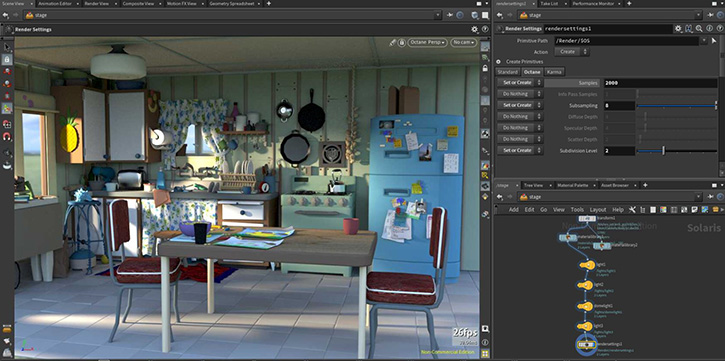
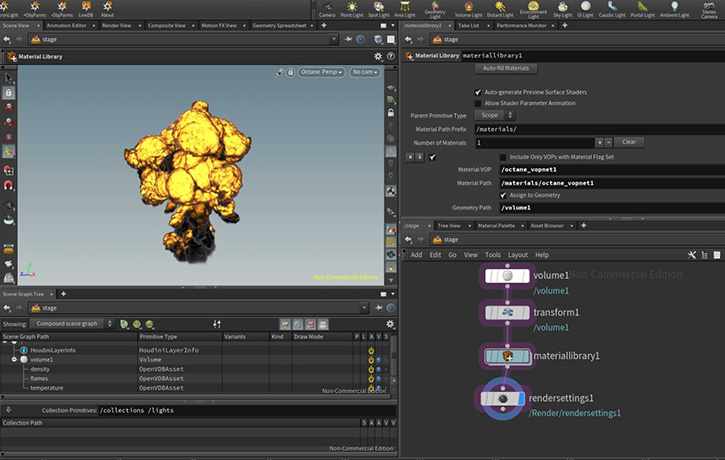
Pixar's USD pipeline
https://renderman.pixar.com/stories/pixars-usd-pipeline
-Installation steps-
-Recommended: Automated installation using scripts-
- On windows run the createPackageFileForOctane.bat file and follow the instructions. This should setup all the necessary paths for you.
- On macos/linux run the createPackageFileForOctane.sh file and follow the instructions. One way to do this is to open a terminal window, type sh and then drag the sh file onto the terminal and hit enter.
-Alternative: Manually setup Houdini package json file-
- Create a folder inside Documents\houdini21.0 and name it "Packages" (if it doesn't already exist)
- Open notepad or any text editor, use the code below, but replace the PATH/TO/OCTANE to the location of your octane installation.
- Note: You must use / or \\ in the path. Single \ will not work.
Code: Select all
Code: Select all
{
    "enable": true,
    "env": [
        {
            "OCTANE_AUTOSPAREPARAMS": {
                "value": 1
            }
        },
        {
            "OCTVERSION": "PATH/TO/OCTANE"
        },
        {
            "HOUDINI_PATH": {
                "value": "$OCTVERSION"
            },
            "HOUDINI_MENU_PATH": {
                "value": "$OCTVERSION/config/Menus"
            },
            "HOUDINI_SCRIPT_PATH": {
                "value": "$OCTVERSION/scripts"
            },
            "PATH": {
                "value": "$OCTVERSION/bin"
            },
            "PXR_PLUGINPATH_NAME": {
                "value": "$OCTVERSION/dso/usd_plugins"
            }
        }
    ]
}IMPORTANT NOTE: Installation via the houdini.env file is no longer supported. Please remove any mention of octane from the Houdini.env file as otherwise the plugin won't function properly!
New features
To learn more about the new features and improvements of OctaneRender 2026.1 and the Render Node app, please check out (Link )
Change log since last release
- - Unified with OctaneRender 2026.1 for Houdini production (2026.1.0.1) viewtopic.php?t=85443
- - Implemented Octane Materials for Mtlx nodes
Note: Click the link below to refer to the Important SOP to USD attribute conversion
https://www.sidefx.com/docs/houdini18.5/solaris/sop_import.html
Important notes:
[*] The minimum NVIDIA driver version required has been raised to R528 (R572 for GeForce RTX50 Series).
[*] The GPU version of Open Image Denoise is supported on Volta and Ada GPUs currently. The CPU version is used on devices with other models, and on macOS..
[*] The minimum version of macOS required is 14.5.[/b]
Linux Note
On Linux only default Houdini builds are supported.
This means that for Houdini 20.0, 20.5 and 21.0 gcc11.2 builds are supported.
Note: Please do not use Houdini 21 builds for production yet. We are releasing it as an experimental release and to collect bug reports.
=================================
Subscription Studio+ Downloads
=================================
OctaneSolaris [macOS](Link)
OctaneSolaris [Linux](Link)
OctaneSolaris [Windows](Link)
=================================
Demo Downloads
=================================
OctaneSolaris [Windows](Link)
OctaneSolaris [Linux](Link)
Happy GPU Rendering !!
Your team
OTOY


