Page 1 of 1
Triplanar material
Posted: Thu Jul 26, 2018 10:45 pm
by senorpablo
Triplanar mapping is fantastic. However, the majority of the time what I'm really after is simply a triplanar material.
Setting up triplanar mapping for every texture in a material(diffuse, roughness, specular, normal, etc.) is time consuming. Also, 90% of the time, I'm plugging the same maps into every slot(top, botton, left, right, front, back) anyway.
A triplanar material would be great, and I think it would be more efficient and practical for most use cases.
Re: Triplanar material
Posted: Fri Jul 27, 2018 8:00 am
by Phantom107
Just create a group with the triplanar node inside it that makes it easy, see attachment for the basic setup. Then you can just copy it around.
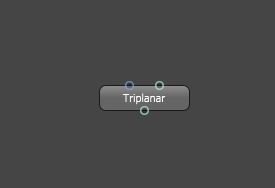
- pic1.JPG (9.31 KiB) Viewed 4292 times
Re: Triplanar material
Posted: Fri Jul 27, 2018 5:45 pm
by senorpablo
Thanks. I don't use standalone, or a node based material editor for a number of reasons. Regardless, that only(kind of) addresses one of the many shortfalls.
Re: Triplanar material
Posted: Wed Aug 01, 2018 1:14 pm
by frankmci
Which plugin are you using? In the C4D plugin, at least, there's a checkbox at the top of the Triplanar node labeled, "single texture." This will pipe a single texture into all six axes.
Not using the node editor in Octane is kind of like not using the bed of your pickup truck. Sure, you can still get around town, go to work, etc., but you're missing out on a big part of the utility of having a truck in the first place.
Re: Triplanar material
Posted: Wed Aug 01, 2018 8:47 pm
by senorpablo
frankmci wrote:Which plugin are you using? In the C4D plugin, at least, there's a checkbox at the top of the Triplanar node labeled, "single texture." This will pipe a single texture into all six axes.
Not using the node editor in Octane is kind of like not using the bed of your pickup truck. Sure, you can still get around town, go to work, etc., but you're missing out on a big part of the utility of having a truck in the first place.
I'm using the Max plugin, and there is no checkbox. Regardless, that particular issue is fairly minor, as I've said. Though, it does highlight a kind of odd inconsistency in Octane development whereby different plugins have different features. Having a checkbox in C4D indicates to me that someone realized the implementation was somewhat inelegant and took a step to improve it.
Max has had a node based material editor for 8 years, I just prefer not to use it for a number of reasons which I won't go into.
I do appreciate all the suggestions but I would prefer if people addressed the original topic at large. Would, or would not, a triplanar material be a nice addition to Octane? Personally, if it was available, it would be much more elegant and useful for my day to day work than triplanar maps. Though, I'm not suggesting it's an either/or proposition.
Re: Triplanar material
Posted: Thu Aug 02, 2018 6:58 am
by PolderAnimation
There is a separate page for features request where people also can comment on and vote up and down.
Maybe that is a better place to put this?
https://render.otoy.com/requests/
Cheers,
Re: Triplanar material
Posted: Thu Aug 02, 2018 6:35 pm
by senorpablo
PolderAnimation wrote:There is a separate page for features request where people also can comment on and vote up and down.
Maybe that is a better place to put this?
https://render.otoy.com/requests/
Cheers,
I'm more interested in having a discussion really. Would a triplanar material be useful? Requests doesn't support that. Thanks.
From the forum index:
"General Discussion
Generic forum to discuss Octane Render,
post ideas and suggest improvements."
I guess I know where to come to find people eager to speculate on how I'm misusing software/services. LOL
Re: Triplanar material
Posted: Thu Aug 02, 2018 6:44 pm
by Phantom107
Just offer money to the 3DS Max plugin dev to get it in there. Free market.