Page 1 of 1
NVLINK (2018.1 RC4)
Posted: Fri Mar 01, 2019 1:23 am
by Tag12345
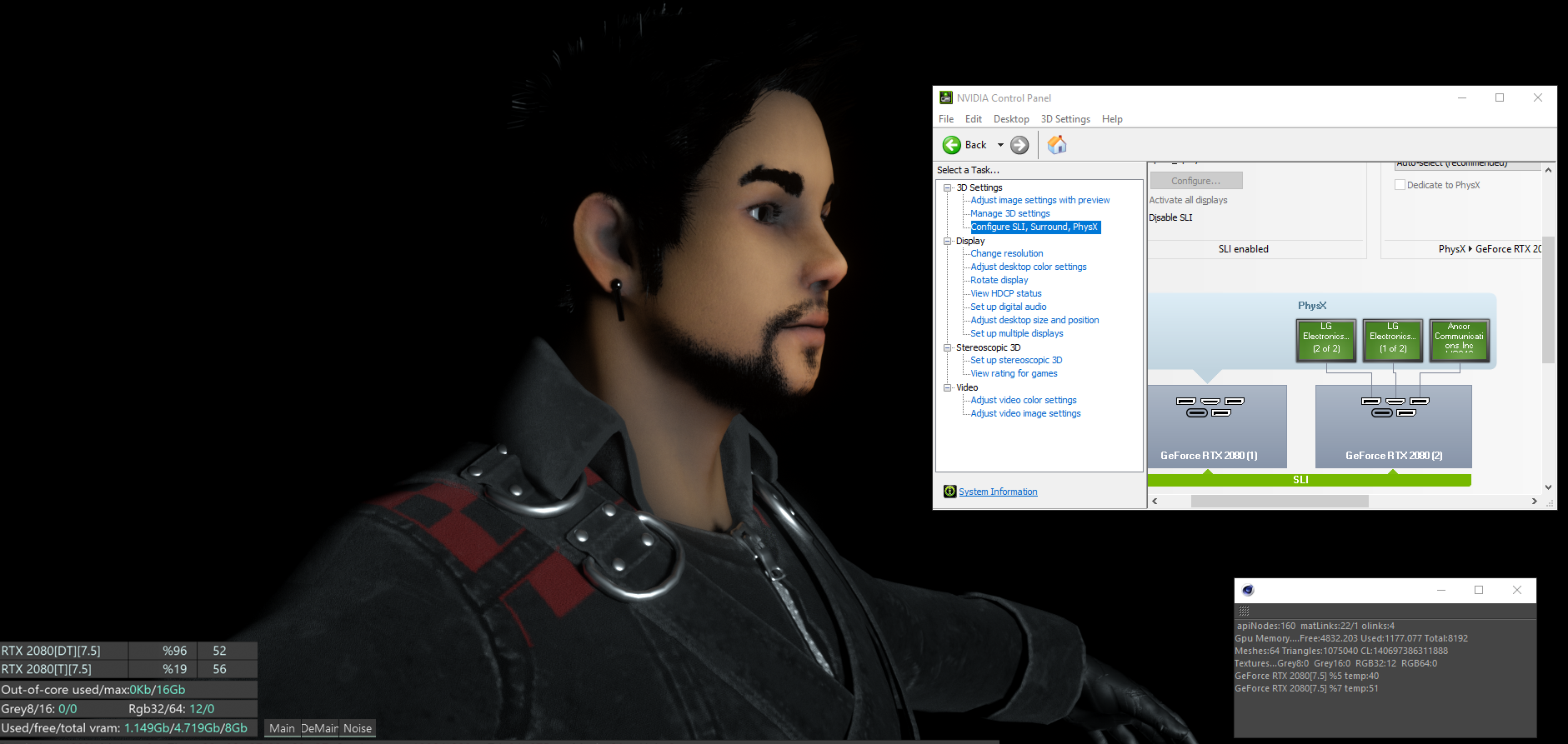
I own 2 x GTX 2080's and have them in SLI, though am I supposed to see 16GB vram instead of 8GB?
Main reason I got this configuration was to have access to more vram for larger scenes, but it seems those same scenes, still indicate I only technically have 8GB?
Just let me know if this is a glitch, something thatll be fixed,etc
thanks!!
Re: NVLINK (2018.1 RC4)
Posted: Fri Mar 01, 2019 8:19 am
by TRRazor
Does one of these cards have 16GB VRAM?
You're always stuck with the lowest amount of VRAM on either one of your cards. Meaning, when you have two 8GB cards, the VRAM isn't cumulative, so the highest you can go will always be 8GB.
Pairing a 16GB card with a 8GB card means, you could technically go all the way up towards 16GB, but should your scene geometry exceed 8GB of memory, one card will drop out and you will be left with only the 16GB card rendering, since the 8GB card won't be able to fit the scene into memory.
Eventually (hopefully sooner than later) this should be fixed by the geometry-out-of-core feature.
Re: NVLINK (2018.1 RC4)
Posted: Fri Mar 01, 2019 9:59 am
by Tag12345
AHHHHH, i see
thats weird, many people made it seem like NVLINK basically takes both cards and allows you to stack the VRAM, meaning 8+8 = 16,etc
I have 2 2080's so does this mean if I get a 2080TI (11GB) that this would ultilize 3 extra GBs? kinda sounds abit useless. lol
Re: NVLINK (2018.1 RC4)
Posted: Tue Mar 12, 2019 4:08 pm
by bepeg4d
Hi,
yes, you can have 8+8GB, or 11+11GB, with v2018 and RTX GPUs 2080/2080ti, please have a look at this other discussion about NvLink, and how it works:
viewtopic.php?f=33&t=69896#p353452
ciao Beppe